




Resume in minutes
Upload your old one and we fill in your profile, or answer a few questions and we build it for you.
Apply in minutes, not hours
Find jobs near you and apply in a couple of minutes. Upload your resume or create one with AI, answer a few quick questions, done. Free, always.
How applying works
Search by job and suburb, or scan a QR poster in a shop window. Every job shows where it is, what it pays and who you'd be working for.
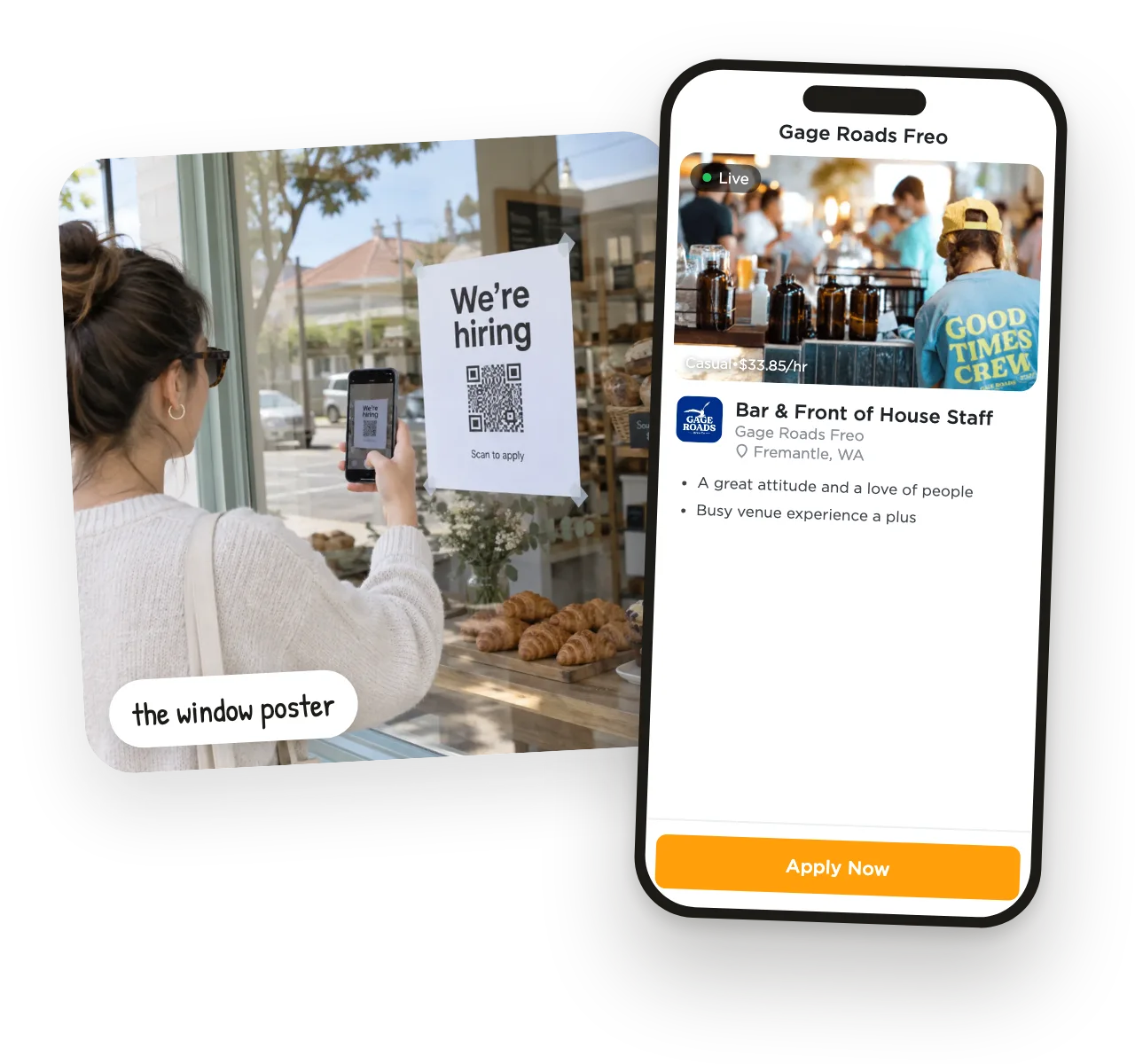
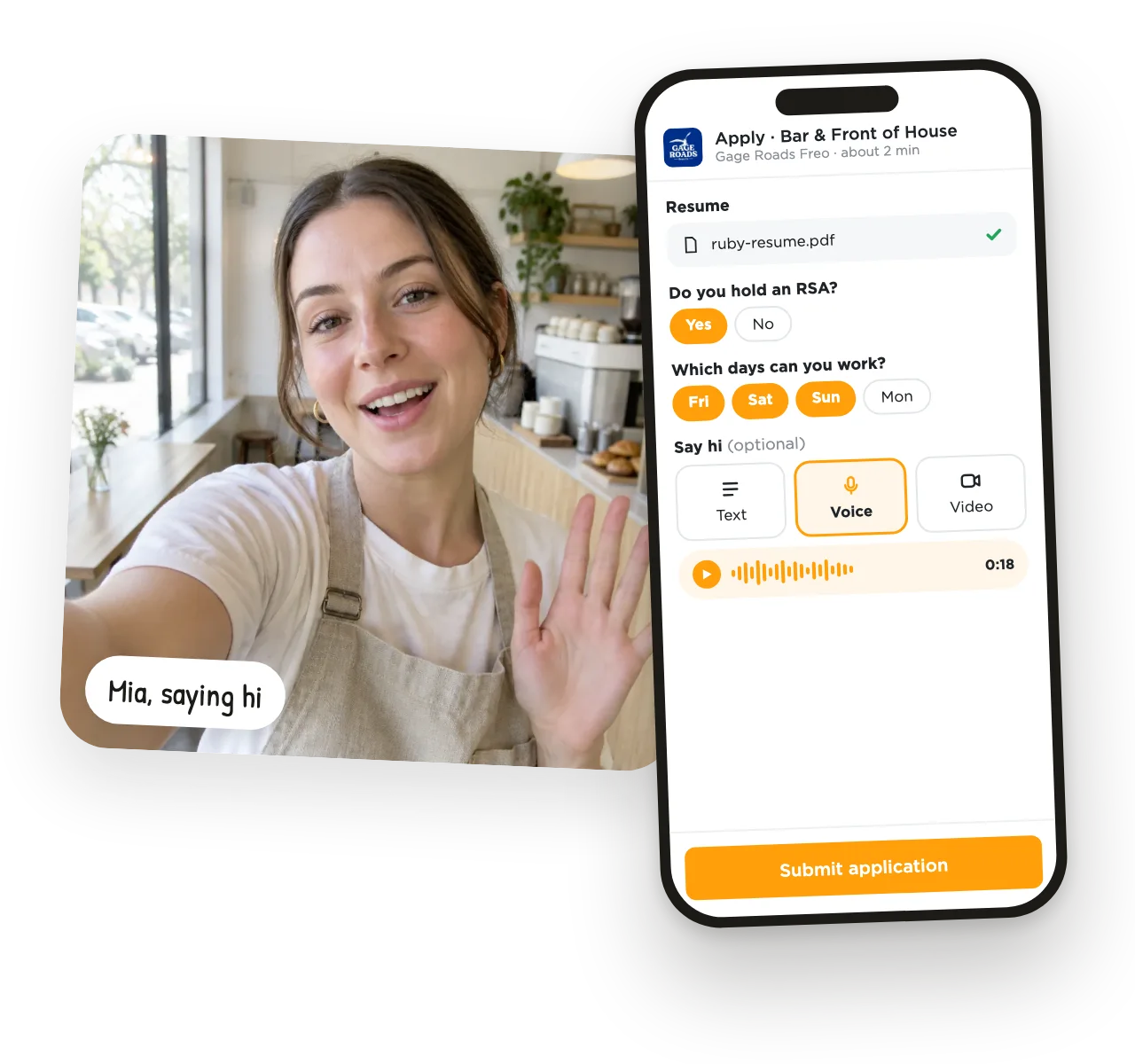
Upload your resume or create one with AI, then answer the employer's quick questions. Your email is all you need to get started, and your details carry over to the next job.
Employers message you right in UseVerb, and you'll get a notification and an email when they do. Track every application from one place.
AI Apply
Found a job somewhere else? Paste the link and AI Apply fills in the job details, tailors your resume and writes a cover letter for that job. Check it, send it, next.

Optional extra
Most people apply with just their resume, and that's fine. If you want to jump the queue, a quick hello shows employers your energy before they've even met you.
Upload your old one and we fill in your profile, or answer a few questions and we build it for you.
Skills, work history, references and a resume with a QR code that links back to you.
Ask past managers for a reference in a couple of taps. They fill it in online.
See what you've sent and where it's up to, all in one list.
Withdraw an application and the employer can no longer see your video, voice or photos.
Apply from the browser, or download the app and get notified when employers reply.

“I went from applying to 50 jobs with no responses to getting a job I really wanted by doing a video for my application! The recruiter loved it.”

“The app is revolutionary for job seekers! It helped me stand out and land a job.”

“If it can help me get a job, it can help anyone!”
From the corner cafe to national brands, real businesses near you are hiring right now.









Real reviews from the App Store and Google Play.
“I can't even remember how many jobs I've applied for till date. But after applying for 2 jobs using UseVerb, I got my job. Video Verb feature of UseVerb is really outstanding.”
“The WorkChat is very convenient to use since you don't have to email your colleagues and employer. When applying for a job, the process is straight to the point where I only need to take a video of myself. Also, the Job Search Secrets Course contains informative worksheets and advice to find the right job!”
“Very good app! It works smooth. I like the new audio approach which is completely different from everything I saw so far. Good job keep going!”
Everything you need to know before you apply.
Yes. Searching, applying, your resume, your profile and your video or voice hello are all free. Premium adds optional extras like 60-second hellos — you don't need it to get hired.
Usually a couple of minutes. Upload your resume once, answer the employer's quick questions and send. Your details carry over, so the next application is even faster.
No. Apply with your email address and we set up your account as you go. You can add a password or download the app later.
It does the slow parts of applying for you. Paste a job ad link or its details and add your resume: AI Apply fills in the job details, writes a cover letter for that job and, on UseVerb jobs, tailors your resume to the role in one tap. You check everything before it's sent.
Yes. You can apply to any business on UseVerb, or send a UseVerb application to an employer's email address — they get your hello, resume and details in one link.
Every application shows as Delivered once it's sent. With Premium you also see when an employer opens and views it.
No. Most people apply with their resume and a few quick answers. A video or voice hello is optional — add one if you want to stand out, or if the employer asks for it.
27 seconds, or 60 seconds with Premium. A teleprompter keeps your notes on screen, and you can practise and re-record as many times as you like before sending.
Yes. Withdraw it any time and the employer can no longer see your video, voice or photos.
Search local jobs, apply in minutes, and hear back from real people.
Free to apply · No credit card